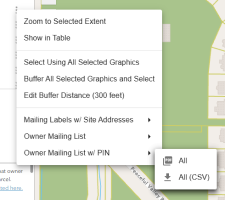
Create the Labels
1. Click the context menu (three vertical dots) next to "Parcels" in the Identify window. The number of selected parcels will appear to the left of "Parcels," highlighted in blue
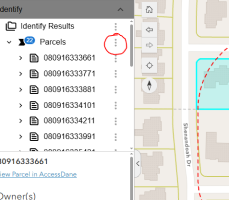
There are 3 types of mailing labels to create
1. Mailing labels with site addresses - These are addresses of the homes and not the billing address
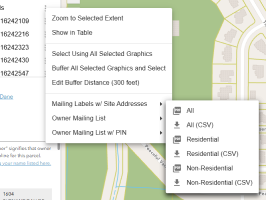
After selecting this option, choose from two formats and three types
- All - All addresses in PDF format
- All (CSV) - All addresses in CSV format
- Residential - Only residential addresses in PDF format
- Residential (CSV) - Only residential addresses in CSV format
- Non-Residential - Only non-residential addresses in PDF format
- Non-Residential (CSV) - Only non-residential addresses in CSV format
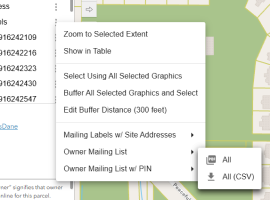
2. Owner Mailing List - Standard mailing labels that are addressed to the billing address
This option has two formats, CSV and PDF
3. Owner Mailing List w/PIN - Mailing labels that are addressed to the billing address, with the parcel number displayed at the top
This option has two formats, CSV and PDF