Make a Selection
Choose between 4 available options
1.Click on the map to select a parcel, lake, or other polygon feature.

2. Select multiple parcels
Click the Identify icon, then use the selection tools dropdown to choose a selection method (Line, Rectangle, Circle, or Polygon).
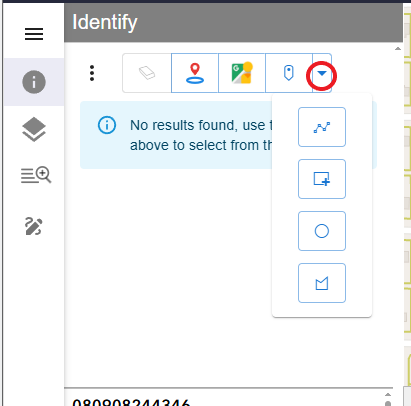
Draw your graphic to select the parcels. Double-click when finished

3. Select a parcel by adding a parcel number or address to the Search box.

4. Buffer off a line or series of line segments
Set the buffer distance as needed. To modify the default distance (300 feet), open the context menu and select Edit Buffer Distance (300 feet), then enter the desired value.
Turn on 'Apply buffer on select' to activate it.

Draw your graphic. Double-click when finished

