Save Drawing
1. Select the graphics
Select the graphic on the map. For multiple graphics, hold the shift-key while selecting
OR
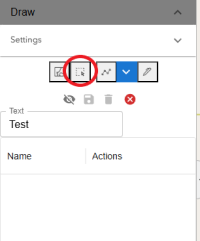
Use the Select Graphics by Rectangle button
2. Save
To save, click on the Save Selected Drawing Graphics button

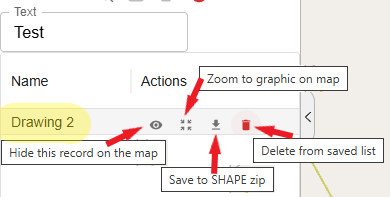
This adds "Saved Graphics" to the list. Replace that with your own name for the drawing (in this case, Drawing 2)